My role: concept, research, user flow, wireframes, UX/UI Tools used: Figma, Photoshop
Problem
Every year, people take more and more photos using their smartphones. It is often difficult to choose the best shot or quickly find a photo taken several weeks or months ago. Standard gallery interfaces do not provide convenient tools for efficient work with a large number of images. Applications that can be downloaded separately don’t provide them either. For many users, this is a kind of anti-stimulus that prevents them from realizing their potential as a photographer. So I tried to suggest a solution for this problem.
Solution
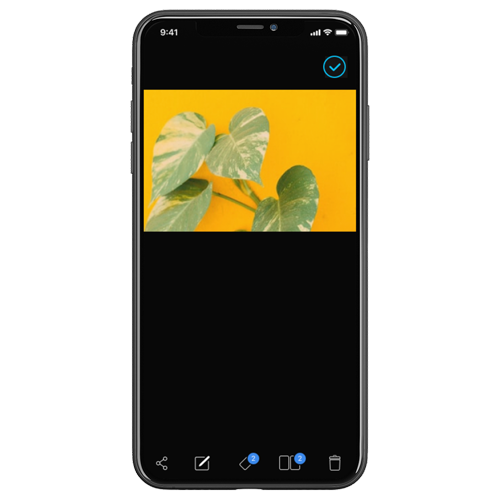
I have designed an image organizer that allows to quickly select and sort photos and tag them for easy searching.
Process
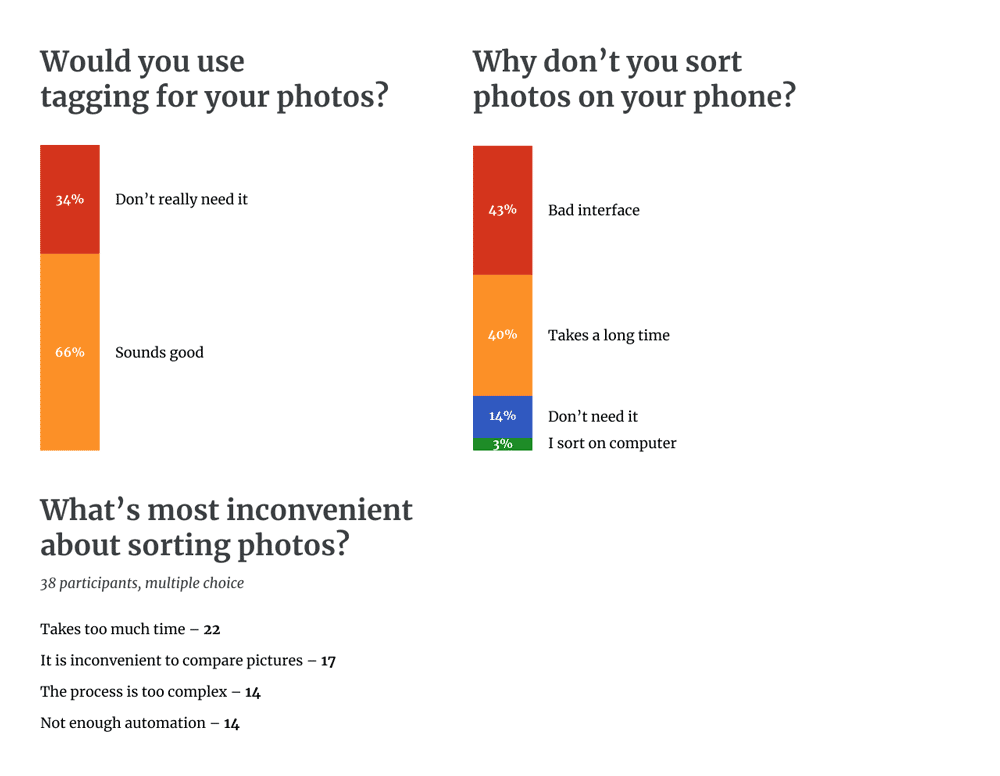
I conducted a survey of 38 people about sorting photos on a smartphone. About 14% of them sort pictures on their phone, but only 4% are satisfied with the functionality and interface. As it turned out, about 45% of the rest of the respondents do not do this due to the inconvenient interface and time-consuming process. In general, the majority of respondents named the main problems as the complexity and duration of the process, as well as the inconvenience when comparing images. Also, 66% said that they would use tagging for their photos.
Wireframes
Features
Comparison
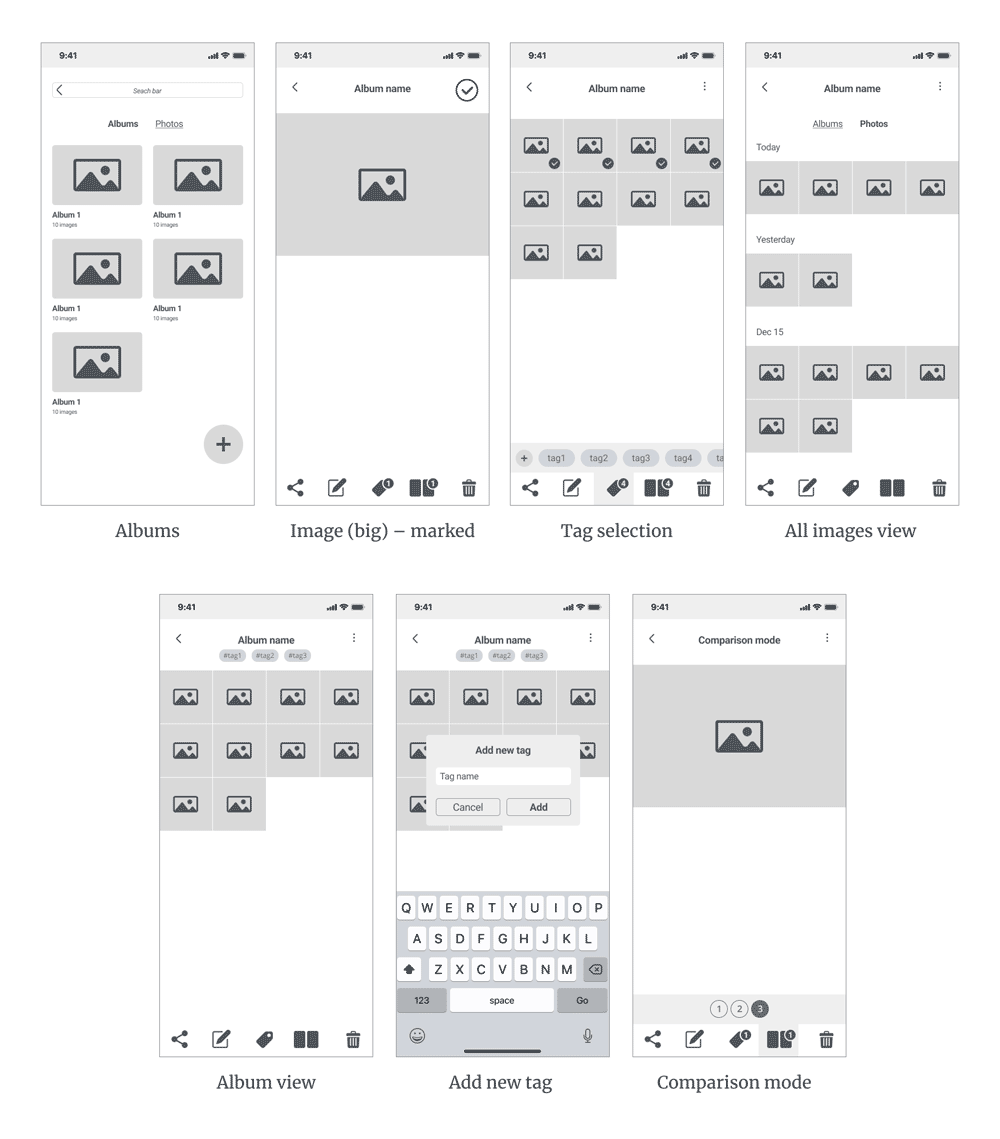
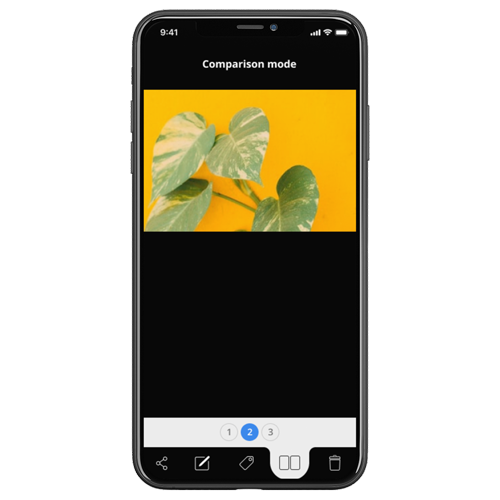
The compare function allows you to mark up to 10 pictures. It puts them in a temporary album, where they can be conveniently compared with each other: you can go to a picture by holding it’s number, and when you release the button, you return to the one you were on.
Comparison
The compare function allows you to mark up to 10 pictures. It puts them in a temporary album, where they can be conveniently compared with each other: you can go to a picture by holding it’s number, and when you release the button, you return to the one you were on.
Tagging
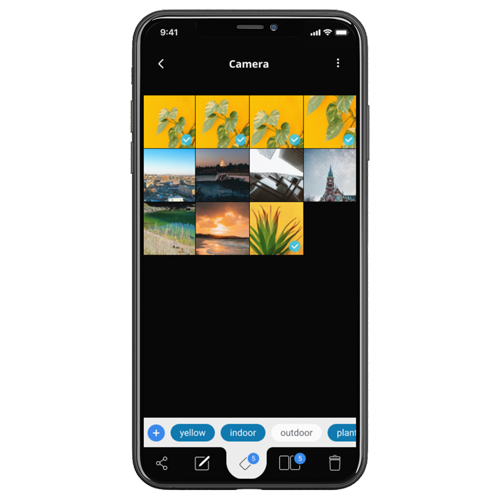
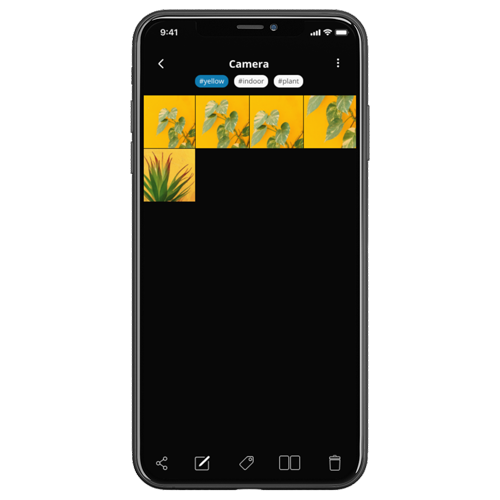
You can add one or more tags to each photo individually or several photos at once.
Tagging
You can add one or more tags to each photo individually or several photos at once.
Search by tags
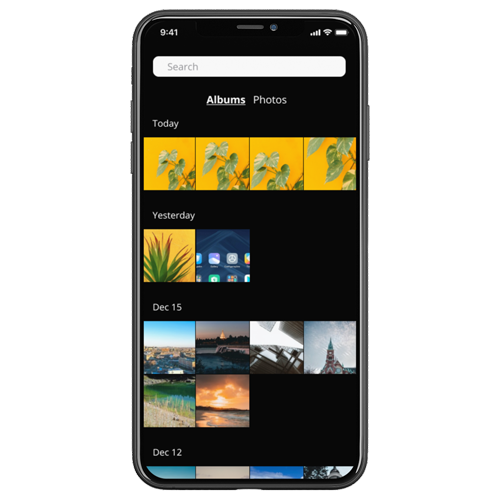
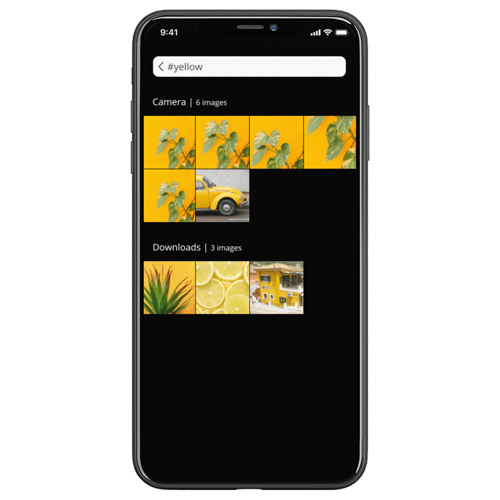
You can search for pictures marked with one or more tags using the regular search bar.
Search by tags
You can search for pictures marked with one or more tags using the regular search bar.